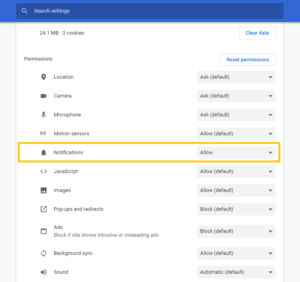
Turn on Desktop Notifications - Chrome Browser
Allow Chrome notifications from system settings
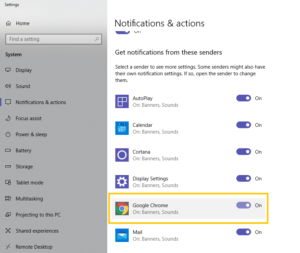
- Go to “Notifications and Action Settings”, type “notifications” in your system search and you will see it in the search results
- Scroll down to the section with the heading Get Notifications From These Senders
- In Get Notifications From These Senders section, find and select Google Chrome
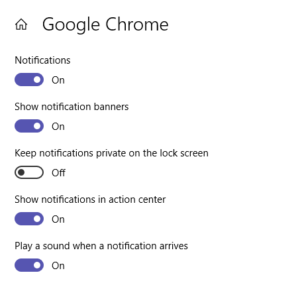
- Once inside Google Chrome notification settings, turn on the following:
Allow App notifications from Chrome settings
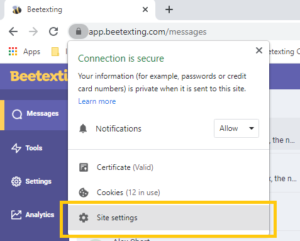
- Go to app.beetexting.com
- Select the lock or information icon to the left of the URL

3. Select “Site Settings”
4. Allow notifications from the permissions list